
AI services are becoming increasingly common across organizations, and we see a clear trend where both sanctioned and unsanctioned AI tools are frequently used in various parts of the business.
As I’ve mentioned in previous posts, we have great tools for both monitoring which AI services are being used and what kind of data is being sent to them.
Organizations need to:
◾ Discover which AI services are in use
◾ Decide which ones are allowed
◾ Educate users around those decisions
◾ Block the ones that are not approved
Evaluating an AI service should include:
◾ Who owns the service
◾ Where the data is stored
◾ What security features and regulatory requirements it adheres to
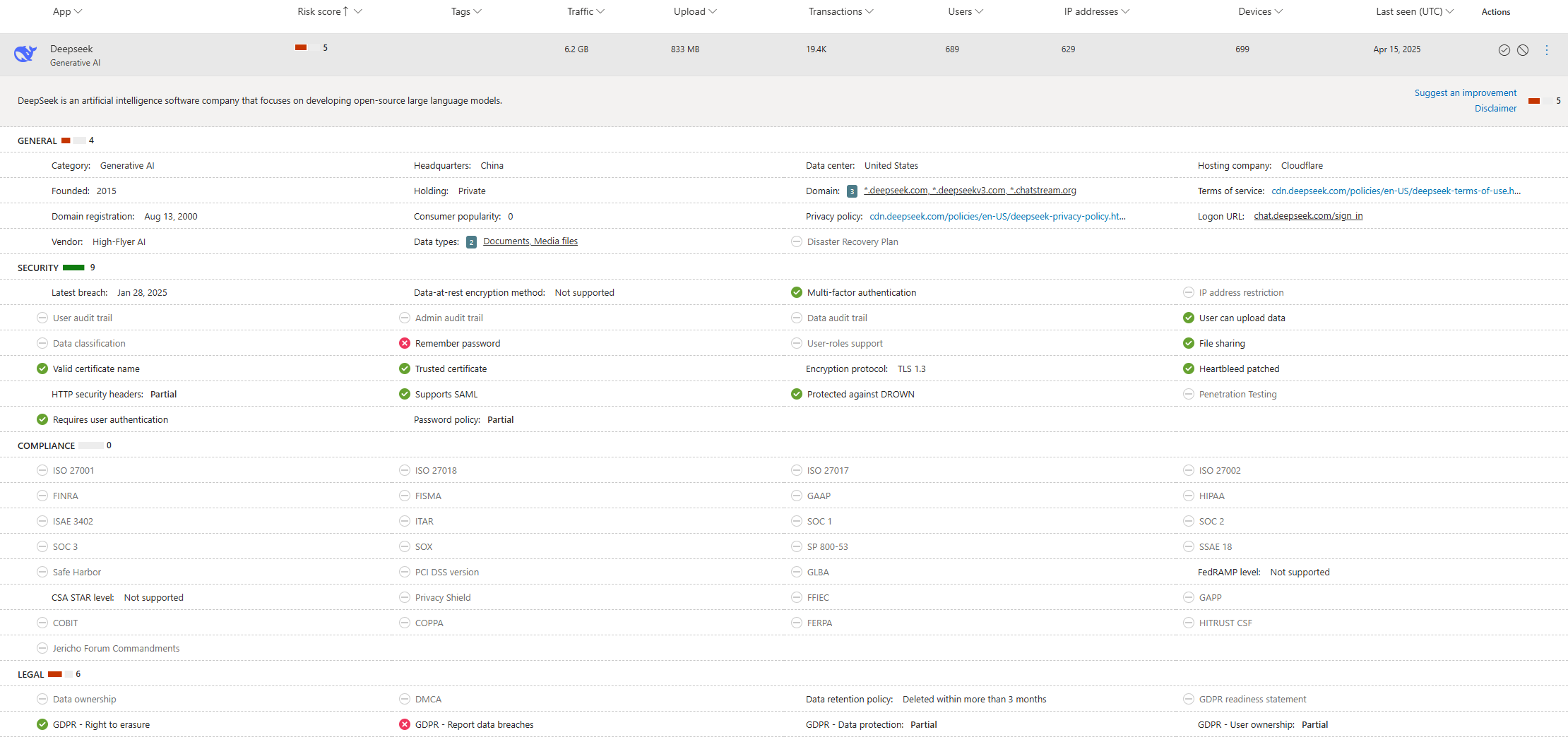
Much of this can be managed via Defender for Cloud Apps, where we can both discover what’s currently in use and work proactively by exploring the Cloud App Catalog.
For example, we can easily see how many users are using Deepseek, read more about the service – and, if needed, restrict or block it.
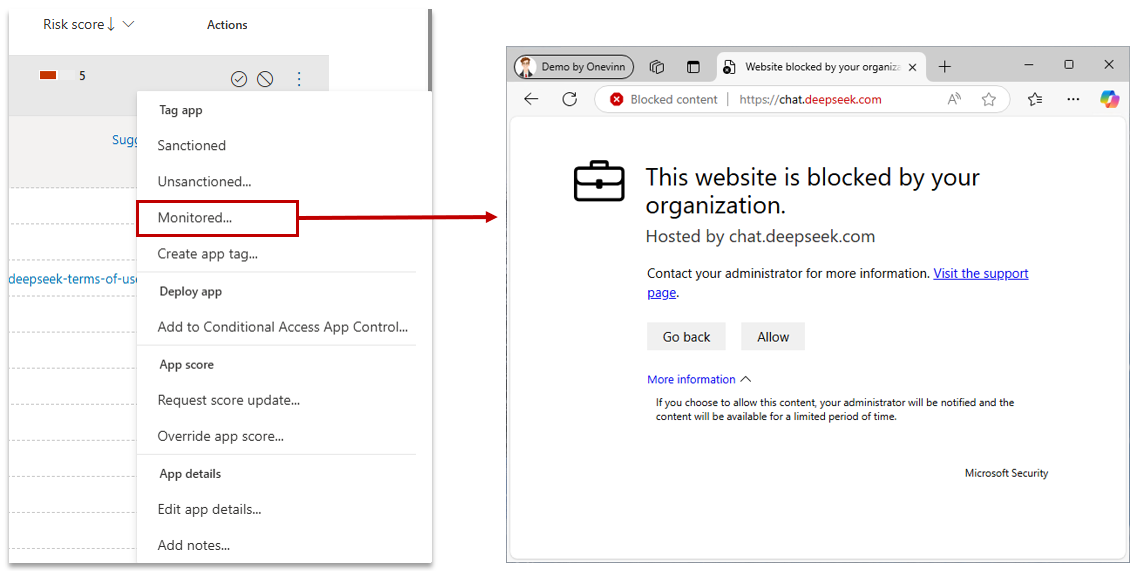
We can also choose to simply alert the user that the use of the service is being monitored. This is what the end-user experience looks like on a managed device using the “Monitored” setting:
When it comes to what kind of data is being used in these AI tools, this is where Purview comes in.
As I’ve written before, the product was simply called AI Hub during its preview – but now it goes by the slightly more formal (and definitely not short) name:
Data Security Posture Management (DSPM) for AI.
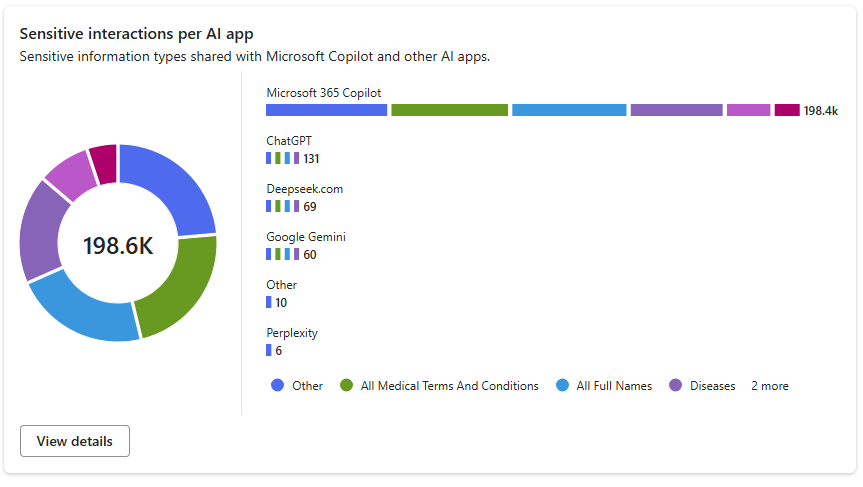
If we’ve already done the work of creating detections for our critical/sensitive data, the system will list if that data appears in any of these AI services. If we haven’t started this work yet – now is definitely the time to do so!
By using Endpoint DLP, we gain the ability to control what data can be used in specific AI services – and block it entirely if needed.
By creating lists of our AI services, we can categorize them into:
◾ Services we want to audit
◾ Services we want to notify users about
◾ Services we want to completely block from receiving sensitive data
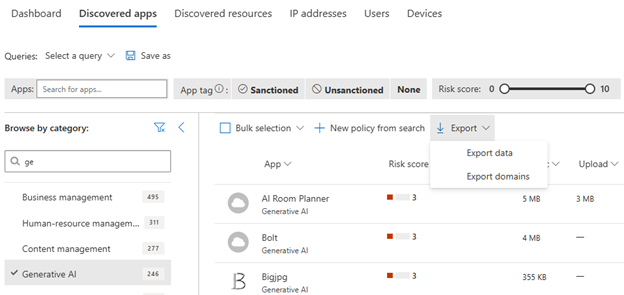
If we want to quickly see which domains belong to which Generative AI service, we can export this directly from Defender for Cloud Apps using Export domains.
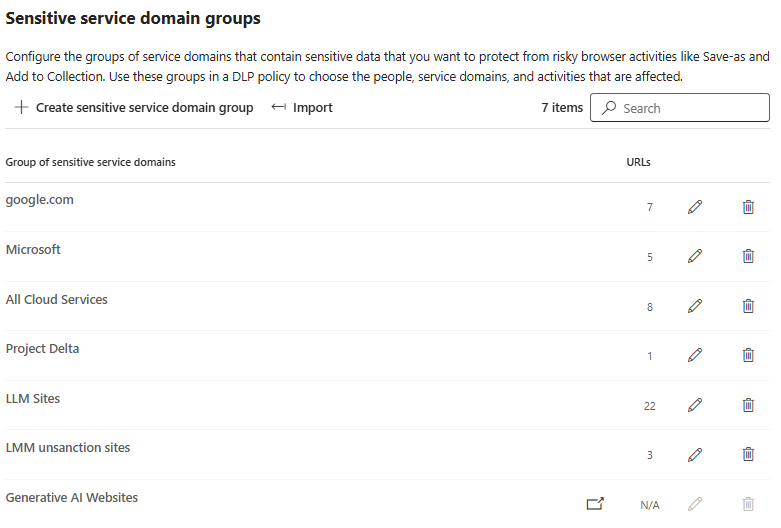
To control which data can be used with which AI service, we first need to build Sensitive Service Domain Groups.
My recommendation is to divide these into two categories:
-
Services not approved for use with sensitive data
-
Services that are approved, but require heightened control
You can either import the CSV you exported from Defender for Cloud Apps or add domains manually when creating a domain group.
In my example: LMM Sites, LMM unsanction sites
Then we create Endpoint DLP policies that define what happens, with the following options:
◾ Audit – to monitor
◾ Block with override – to alert the user
◾ Block – to fully prevent use
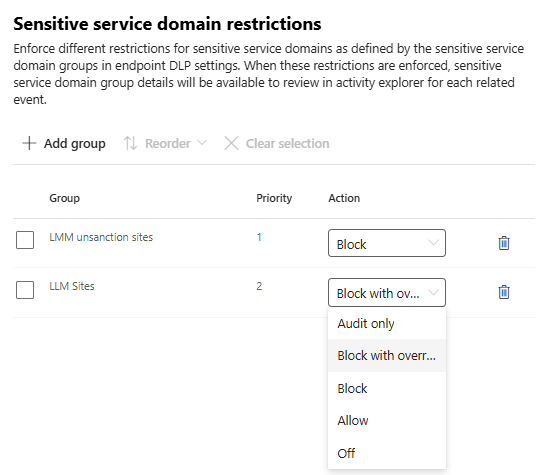
The result is, for example, that we block the use of sensitive data in Deepseek, but alert the user if the same data is used in ChatGPT.
Click the images/videos below to view them in full resolution and high quality.
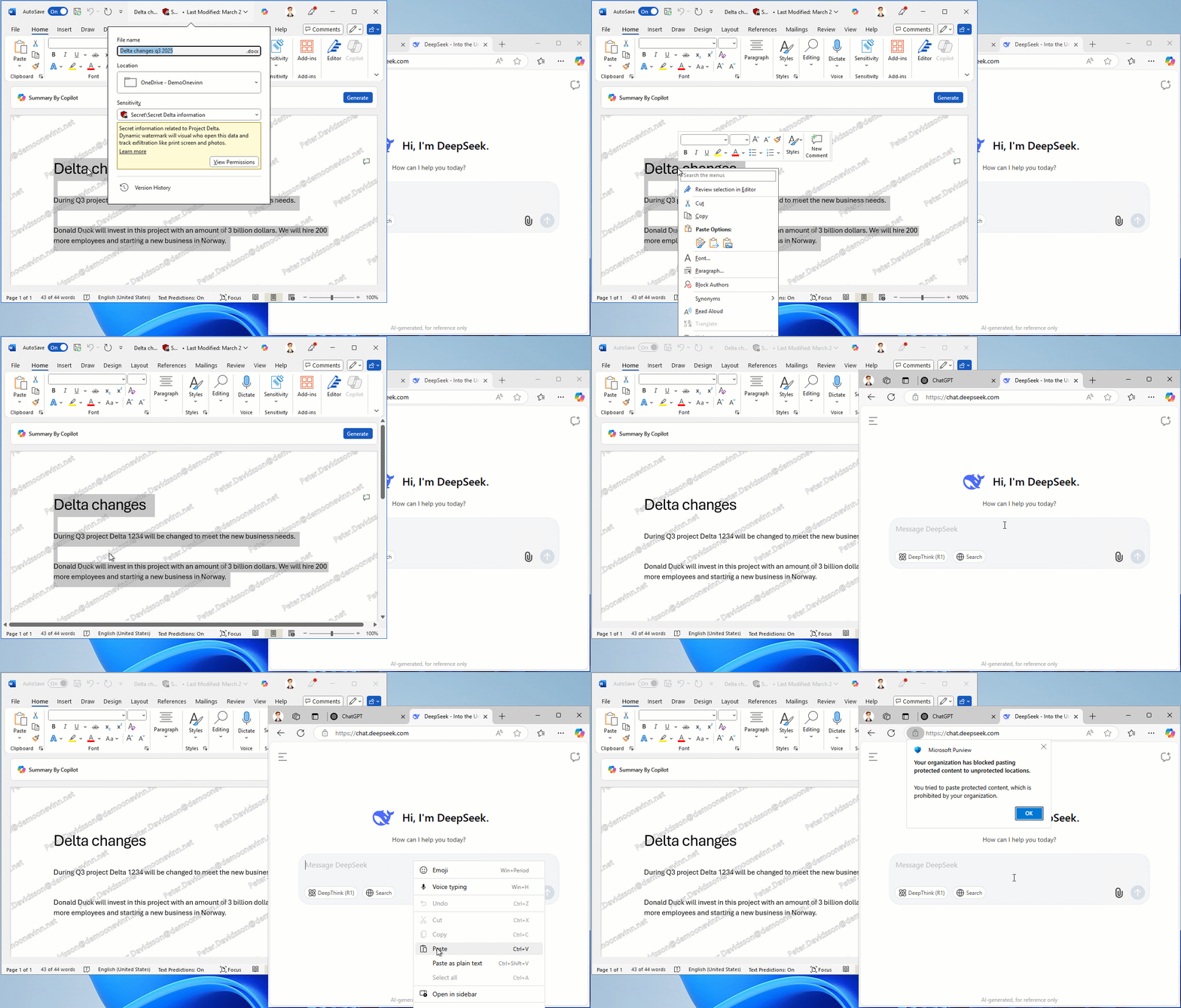
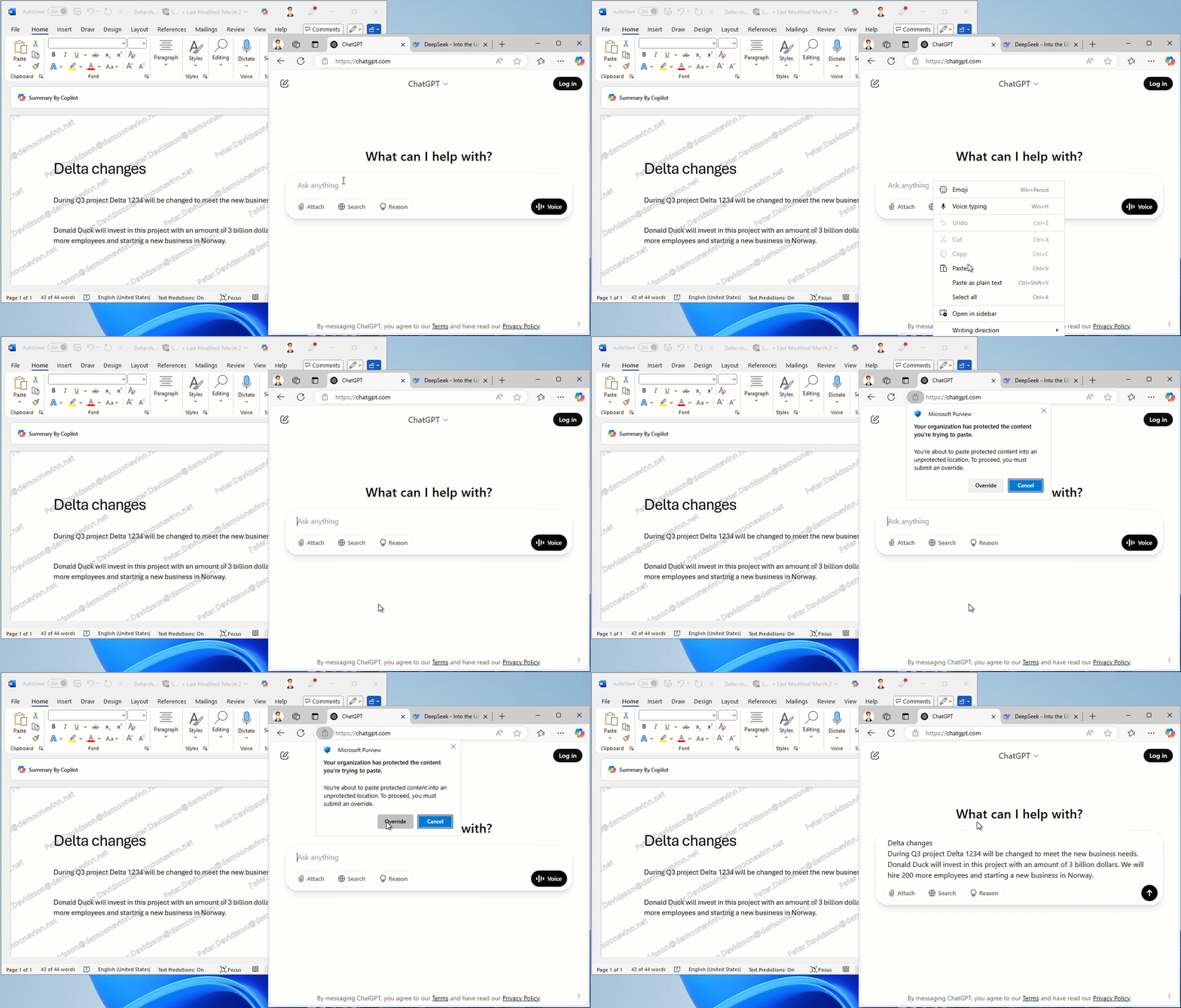
Personally, I would prefer to block Deepseek completely – but that’s a decision every organization must make on its own.
The important thing is to take control and make an active choice.
Good luck!

 IT-Säkerhetsguiden
Pingback: Strengthen Your Data Security Posture with Microsoft Purview DSPM | IT-Säkerhetsguiden
Pingback: Strengthen Your Data Security Posture with Microsoft Purview DSPM | IT-Säkerhetsguiden